
Your whole trip,
in one place.
Wanderly for iPhone · iOS 18 or later
Plan the days, keep track of spending, pack with confidence and save the memories. Wanderly brings the details of your journey together.
Download on the App StoreFree · Available now for iPhone
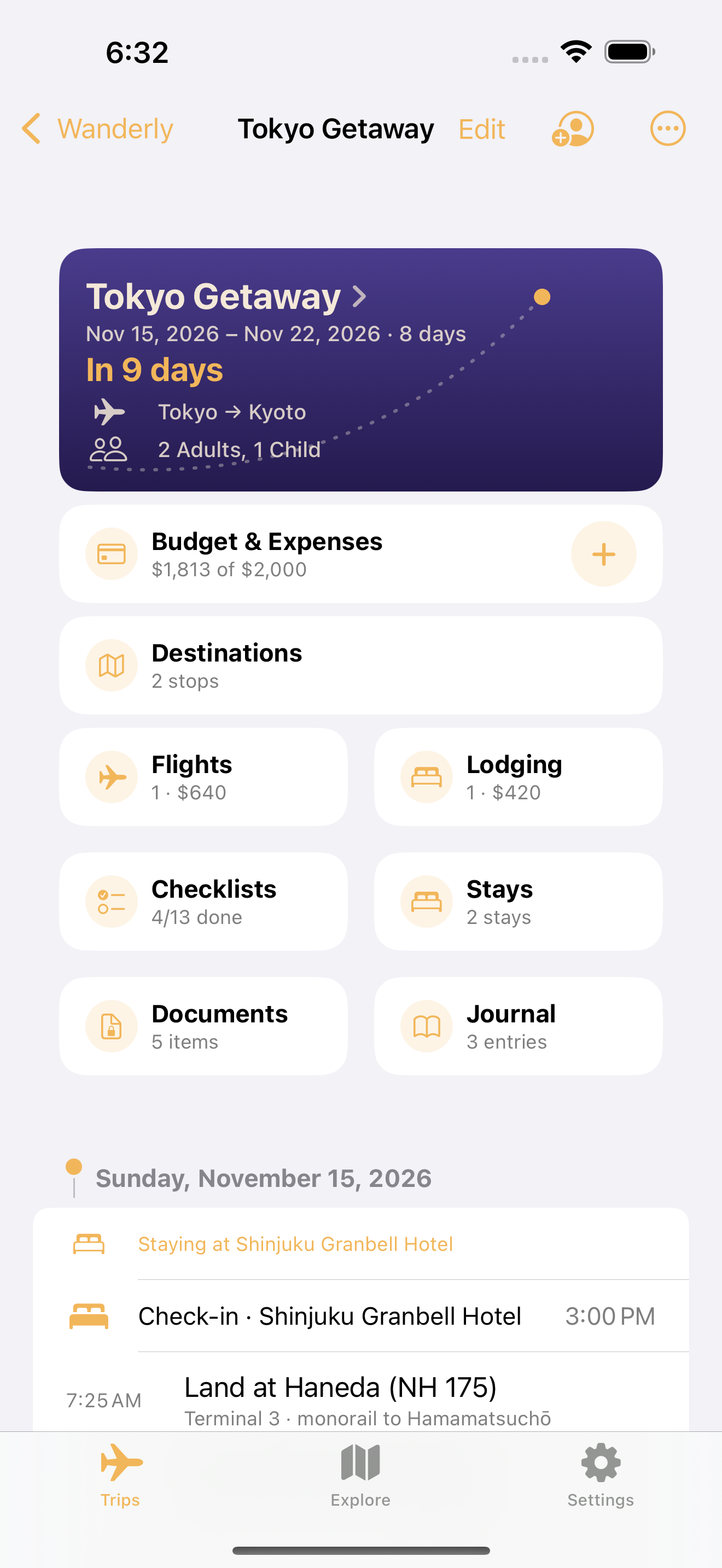
Before, during and after your trip
Plan your days
Build an itinerary, reorder activities and keep destinations and stays close.
Track your travel budget
Record expenses, receipts, payment status and currencies. Compare estimated and actual spending.
Pack and prepare
Reuse packing templates and organize important travel documents behind device authentication.
Remember the journey
Write your travel journal, collect saved places and export a trip spreadsheet or JSON backup.
Manual planning and saved information work offline. iCloud sync and trip sharing require a connection and an iCloud account. Document and photo files are stored locally; include files in your backups.
Wanderly support
Email support@appforkeeps.net. Include your iOS version, Wanderly version, what you expected and what happened. Please do not send passport images, financial details or a full backup unless specifically needed and agreed.
How do I back up my trips?
Open Settings and use Export data. Enable “Include photos & documents” to retain attachments and “Include saved travelers” if you need passport and visa details. Save the exported file somewhere private. Exported backups are not encrypted archives.
Can I use Wanderly without internet?
Yes. Manual planning and saved trip information work offline. iCloud sync, sharing, live currency rates and address lookup need a connection. You can enter exchange rates manually.
How do I move to a new iPhone?
Keep a file-enabled export before changing devices. Install Wanderly with the same app identity and sign in to the same iCloud account for synced trip records. Use Import data for a saved backup. Keep the old device and backup until you have checked trips and attachments on the new device.
Why do documents ask for authentication?
Documents and saved traveler details use system device authentication to protect sensitive travel information. Configure your device passcode and Face ID in iPhone Settings.
Wanderly privacy
Effective for version 1.0 · November 6, 2026
Wanderly does not require a developer account and includes no advertising or analytics SDK. We do not operate a server that stores your trips. AI planning is unavailable in this release.
Your trip records are stored on your device and use your own iCloud account for synchronization when available. Inviting someone to a trip shares selected trip records through Apple's CloudKit. Journals are excluded from shared trip graphs. Documents, receipts and saved-place photo files use local device storage and iOS Data Protection; keep file-enabled exports to back them up.
Optional live exchange-rate requests send currency codes to Frankfurter. Address lookup uses Apple's geocoding service. These requests require internet and are handled under those providers' policies. Wanderly does not send your passport files, journals or receipts to those services.
You control trip deletion and exports in the app. An exported backup can contain travel, financial and passport information depending on your choices. Export files are not encrypted by Wanderly; keep them private and share only with people you trust. Copies you export or share are outside the app's control.
If you email support, we receive the address and information you choose to provide and use it to respond. Contact privacy@appforkeeps.net for privacy questions or deletion of support correspondence.